 arpato
arpato Dostup for Android
An app for phones and tablets: control your computers when you are away from the desk, or open access to the phone itself. It works together with arpato Dostup for Windows.
Downloads are free, you only need a confirmed e-mail.
Features
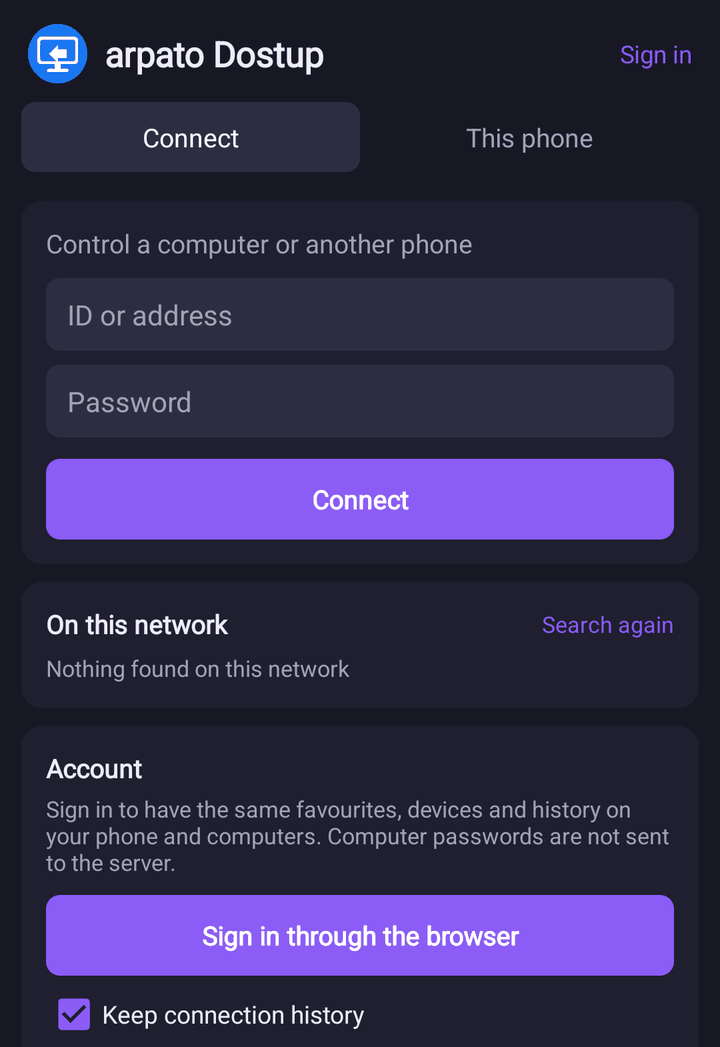
Connect by ID
The same IDs and passwords as arpato Dostup for Windows, the same relay server and local network search.
Your account
Sign in through the browser, and your devices, favourites and connection history from your computers appear on the phone. Computer passwords are not sent to the server.
Touchpad and direct touch
Your finger works like a laptop touchpad or taps right on the screen. Two fingers for the right button and scrolling, a pinch to zoom.
Every Windows key
An on-screen keyboard like a computer’s: F1–F12, Ctrl, Alt, Win, AltGr, Print Screen, navigation, the numpad and ready shortcuts such as Ctrl+Alt+Del.
The phone’s mouse and keyboard
Connect a mouse or a keyboard to the phone over Bluetooth or USB: they work on the remote computer as usual.
Control the phone itself
Open access on the phone, and from a computer you can see its screen, tap and type. Connect with a password or by request: the phone asks, and you tap Allow. It works only while access is open, and the notification shows it.
Sound from the computer
Sound plays on the phone while the session screen is open. A button on the panel turns it off.
Files and clipboard
Download files from the computer and upload files from the phone. Copied text moves between the phone and the computer.
Game mode
Button sets over the picture for different games: shooter, action, cars, platformer, fighting and strategy. In a shooter or action game a finger on free space turns the camera, in the others it works like a mouse. You can move the buttons and give them other keys, separately for each set.
Quality adjusts by itself
Auto mode picks the bitrate, frame rate and resolution for the network, the computer and the phone. If the phone cannot keep up, the picture gets simpler but the session goes on. All the manual settings are there too: ready-made modes, frame rate, bitrate, resolution, codec and encoder.
Multiple monitors
Monitor buttons on the panel and an All button that shows them at once. The frame rate and quality adjust to your network.
Screen and rotation
Fit to screen, fill the screen, high density mode. The rotate button works even with auto-rotate off, and the computer’s resolution can be fitted to the phone for the session.
Your own keys and gestures
System keys such as Ctrl+Alt+Del and Print Screen in the menu, your own quick keys, bindings for the phone’s buttons, pointer and scroll speed.
The session comes back
If the network changes or the connection drops, the app reconnects without asking for the password.
Encryption
The same ECDH key exchange and AES-256-GCM as arpato Dostup for Windows.
Similar apps in our “Top 40 apps of 2026” list
AnyDesk
A lightweight app for connecting to a computer by number, with low latency.
Free for personal useRustDesk
An open-source remote desktop that can run through your own server.
Free, open sourceTeamViewer
One of the best-known remote access services: user support, device management, meetings.
Free for personal useLocalSend
Sends files and text between computers and phones on the same network — like AirDrop, but for every system.
Free, open source