 arpato

arpato Kadr
Press Print Screen, select an area or a window and choose: screenshot, GIF or video. arpato Kadr lives in the tray, uses about 8 MB of memory and can fully replace the Windows Snipping Tool.
Downloads are free, you only need a confirmed e-mail.
Features
A screenshot in a second
An area with the mouse, a window with one click, the whole screen with Space. The magnifier shows coordinates and pixel colour.
Markup on the screenshot
Next to the selection: pen, line, arrow, frame, oval, highlighter, text and step numbers. Passwords and personal data are covered with squares. The markup goes into the screenshot and the copy, Ctrl+Z undoes it.
Scrolling screenshot
A long web page, a chat or a document in one picture: arpato Kadr scrolls the selected area itself and stitches the frames. A site’s fixed header and footer appear once.
Step-by-step guide
Start recording and do the task as usual: on every click arpato Kadr takes a screenshot and writes “Click “Save”” by itself. E-mail addresses, phone numbers and card numbers are covered automatically. The finished guide is one HTML or Markdown file. A replacement for the Windows Steps Recorder.
Find a screenshot by its text
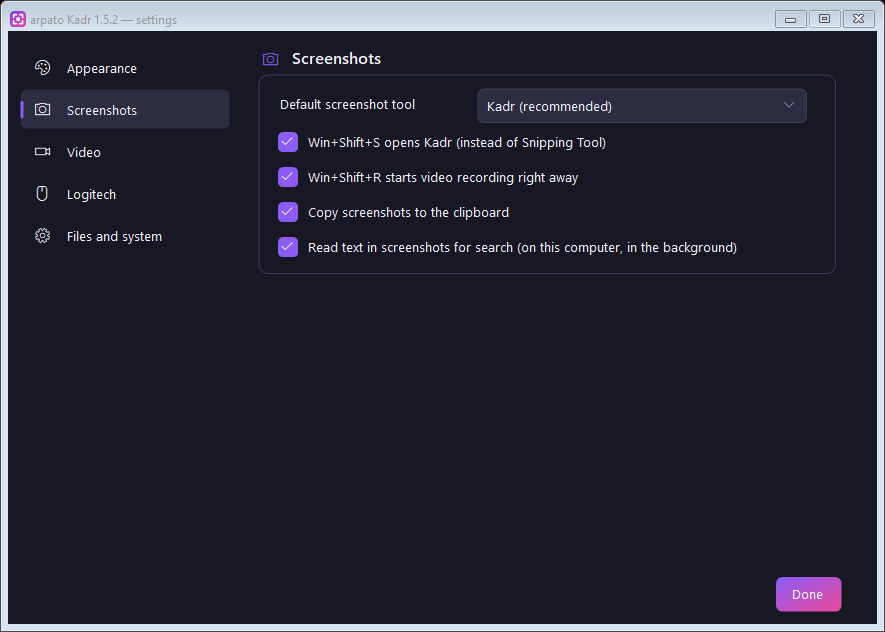
In the background Kadr reads the text on your screenshots and finds the right one by any word that was on the screen. The text is recognized on your computer and goes nowhere.
Instead of Snipping Tool
Print Screen, Win+Shift+S and Win+Shift+R open arpato Kadr. One menu item brings Snipping Tool back.
Unlimited video and GIF
Recording goes on until you stop it. The file survives a crash, and an interrupted recording is restored automatically.
Drawing while recording
The pencil on the recording panel: circle things, add arrows, write and number steps as you explain — it all goes into the video and GIF. Turn it off and the mouse is back with your programs.
Sound
Microphone, system sound or both. A level meter in the settings shows which microphone works.
Resolution
As on screen, 4K, 2K, 1080p, 720p or 480p. The picture is only scaled down, never stretched.
Logitech MX Master 4
A Logi Options+ plugin: an arpato Kadr folder in the Actions Ring, live icons and mouse vibration on screenshots and recording.
Screen key on MX Keys
Opens arpato Kadr right after installation — even if it was reassigned before.
Four themes
The signature dark theme, Windows 11 light and dark, or automatic: it follows the Windows setting.
15 languages
The interface and the Logi plugin speak your Windows language or the one you pick.