 arpato

arpato Port
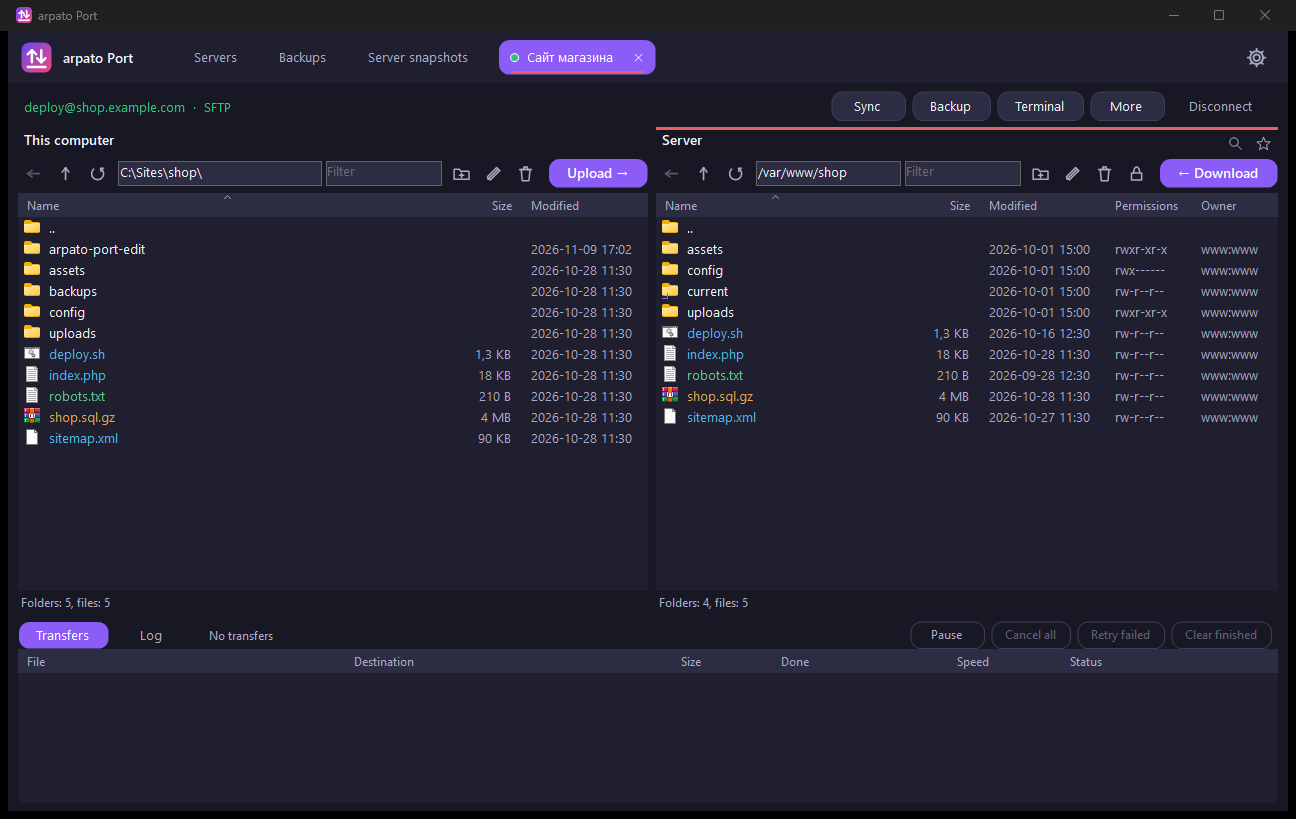
All your servers in one window: files over SFTP, SCP, FTP, WebDAV and S3, a built-in terminal and scheduled backups. Plus a snapshot of the whole system that you can deploy to another server without the host’s panel.
Downloads are free, you only need a confirmed e-mail.
Features
Every protocol in one window
SFTP, SCP, FTP, FTPS, WebDAV, S3 and compatible storage.
Any way to sign in
Password, OpenSSH or PuTTY key, Pageant and ssh-agent. You can create a key and add it to the server from the app.
A snapshot of a whole server
A copy of the whole system: files, permissions, services, boot loader. Linux and Windows Server. Choose from where and to where, and the app works out the rest.
Live and exact snapshots
A live snapshot is taken from a running server. An exact one reads the whole disk from a temporary system and resumes from the same place after a break.
Move without the host’s panel
A snapshot is deployed to another server, and the network is set up for its address. All you need is a login to that server.
Scheduled backups
Every backup looks complete, while unchanged files take up space only once. Old backups are removed only after a successful new one.
Transfers
A queue with several files at once, resume after a break, pause and a speed limit.
Built-in terminal
An xterm terminal with 256 colours: vim and mc work right in the app’s window.
Server check
One button looks at disk space, memory, failed services, logs, security updates, databases open to everyone and certificate expiry. Each finding is explained in plain words, and a safe fix shows its command before it runs.
File version history
Before a file on the server is replaced, Port keeps the previous version on your computer. The difference with the current file is shown in colour, and any version comes back with one button.
Folder sync
First a list of changes, then the actions. Folder watching uploads new and changed files by itself.
Working with files
Editing files from the server, permissions, search, bookmarks, comparing with a file on the computer, file colours by mask.
Proxies and tunnels
SOCKS5, SOCKS4, HTTP, a jump host and port tunnels through the server.
The window you like
Two panes as in Total Commander, or a server with a folder tree as in Explorer.
Moving from other apps
Import servers from FileZilla, WinSCP, PuTTY and ~/.ssh/config. Open a server in PuTTY, MobaXterm and other apps.
Security
The server key is checked on every connection. Passwords are saved only if you tick the box, and are encrypted by Windows.
Lives in the tray
A closed window goes to the tray while transfers and backups go on. It can start with Windows and wait in the tray, with no window.
15 languages
The interface speaks your Windows language or the one you pick.